
I finally figured out (with the help of Claude) how to get visual indicators of source control changes in Visual Studio, for a CMake project that does an out-of-tree build and uses multiple repositories.
The change indicators look like this:
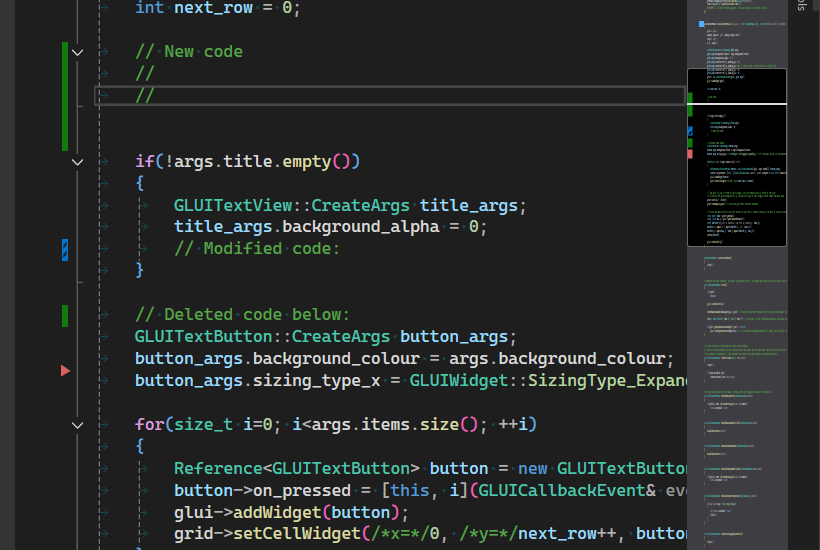
You can see change markers in the left margin and also in the right scroll bar.
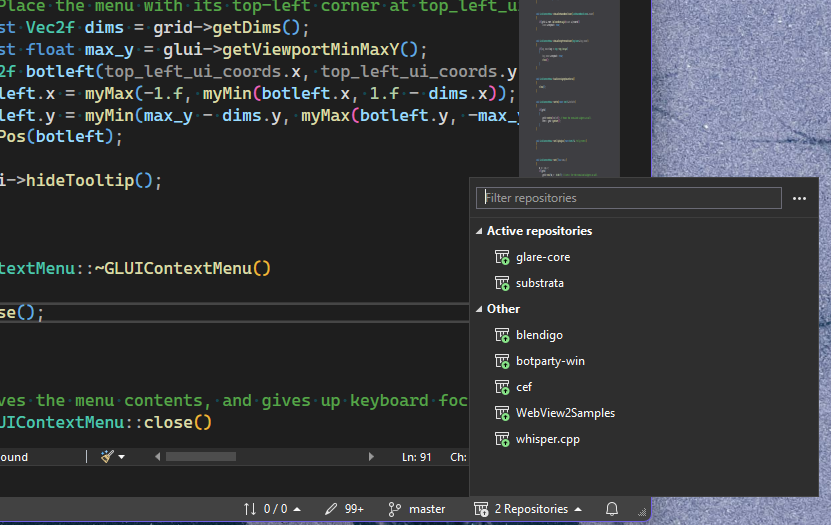
Here it is showing the active repos:
Microsoft documentation is characteristically completely useless in this regard, of course.
The trick is that you need to have a dummy VS project file (.vcxproj) in the root directory of each of the source code repositories you want to be 'active'. These projects then need to be referenced by the CMake solution.
See this change for an example of how to set it up: https://github.com/glaretechnologies/substrata/commit/41ab29b88691643d06c13e400746b643939a1695